

51 Game Login Guide
Sign in to 51 Game safely, recover a lost password and fix the errors that stop you — written for Indian players.

How To Use the 51 Game Login
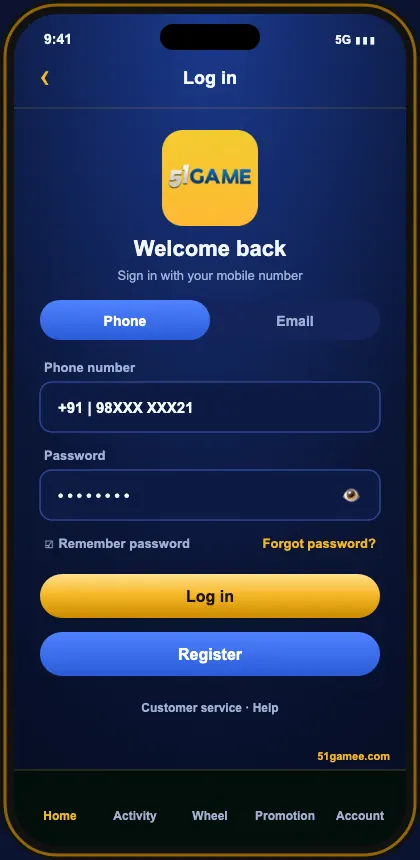
The 51 Game login asks for two things: the mobile number you registered with and your password. When it doesn’t work, the cause is nearly always small — and fixable in a minute.
- Open the installed 51 Game app or your saved bookmark of the official site.
- Tap Log in.
- Choose Phone and type your 10-digit number — no +91.
- Fill in your password — the eye symbol reveals it if you need to check.
- Tap Log in; your INR balance and lobby appear.
51 Game Login Errors & Fixes
| Message | Usual cause | Fix |
|---|---|---|
| Account does not exist | Country code crept in, or you’re on a look-alike site | Ten plain digits, inside the real app |
| Incorrect password | Caps lock, or an older password | Start a password reset |
| OTP not received | DND, poor signal, other SIM slot | Let the timer run out; flick airplane mode |
| Endless loading | Connection or stale cache | Swap Wi-Fi for data, clear cache, pause VPN |
| Signed out again and again | A second device logged in | Reset your password now |
| Account restricted | Security review | Contact 51 Game customer care |
Login on PC, iPhone & Tablet
| Android | The APK keeps you logged in after one sign-in |
|---|---|
| iPhone | Use the Safari shortcut on your home screen |
| Computer | Any up-to-date browser; incognito on borrowed machines |
| Tablet | Either browser or APK works |
On any shared device, don’t save the password and always log out from Account before leaving.
Keep Your 51 Game Account Secure
- A 51 Game-only password.
- A second, different payout password.
- OTPs stay with you — friends and ‘agents’ included.
- Install the app once; stop searching for login links.
- Review login history monthly.
More On 51 Game Login
Remember me — yes or no?
If the phone is yours and locked, let the 51 game app keep you signed in — it removes the temptation to hunt for login links. On shared devices, always type the password and log out afterwards.
Two-minute monthly check
- Open Account → Security.
- Review recent logins.
- Confirm your payout account.
- Change the password if anything looks odd.
Typing “51 game login” into Google every time? Install the 51game app or bookmark the 51 game official site once — it’s the simplest way to avoid copies.
Your 51 Game Questions, Answered
What do I need for 51 Game login?
Your registered mobile number and password.
Can I log in with OTP only?
Some versions offer SMS login; the standard method is number + password.
Why does 51 Game say my account doesn’t exist?
Most often a country code slipped in, or the page isn’t the real one.
Can I log in on PC?
Yes — any current browser, same number and password.
Why do I get logged out?
51 Game keeps one live session, so a login elsewhere ends this one.